$1,284today🔥 12
Your notch keeps score
Today’s total and your day streak live in the notch. When a payment lands, it opens to show who paid, from where, and how much.
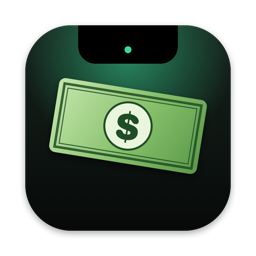 KaChing
For Stripe · macOS 14+
Every Stripe payment prints a dollar bill out of your MacBook’s notch. It flutters down and lands on your Dock and windows, so you feel every sale.
One-time payment · No subscription · Works on 2 Macs






Made for indie hackers, creators and founders who check Stripe 40 times a day.
KaChing turns your Stripe account into something you can see and hear.
Today’s total and your day streak live in the notch. When a payment lands, it opens to show who paid, from where, and how much.
Each sale feeds one bill out of the notch with the amount printed on it. It flutters down and lands on the top edge of whatever window is open, and the pile grows all day.
Three real cash-register sounds to pick from, and haptics on your trackpad. Turn the sound off when you’re on a call.
Closing time
At closing time a receipt prints out of the notch with every sale, the countries they came from, your biggest order and the day’s total. It’s saved to your Pictures folder as an image, ready to post. Click the receipt to tear it off.
★ TODAY’S TAKINGS ★
TUE 17 NOV 2026
closed 19:33
TOTAL$483.00
🏆 NEW BEST DAY
🔥 7-DAY STREAK
thank you, come again
Today, best day, streak, the last 7, 30 and 90 days, a chart, and every recent payment. It’s built from your own Stripe data, on your Mac.
TODAY
$529.47
LAST 30 DAYS
RECENT PAYMENTS 488 in 30 days
KaChing talks to Stripe directly from your Mac. There’s no KaChing server in the middle, and nobody but you sees your sales.
KaChing only accepts a Stripe restricted key with “Charges: Read”. It refuses full secret keys, so it can’t move money, issue refunds or change your account.
The key lives in the macOS Keychain on this Mac only. It isn’t synced to iCloud, logged, or written to disk, and the app only ever shows it masked.
Your Stripe key is only ever sent to api.stripe.com, over HTTPS, with no caching. Your payments, customers and totals never touch our servers. KaChing’s own server only checks your license.
Delete the key in Stripe and KaChing stops instantly. Disconnecting in the app removes it from your Keychain.
No subscription. One key works on 2 Macs.
Secure checkout by Stripe. Your license key appears right after you pay, so there’s no email to wait for.
Yes. On Macs without a notch, bills print from the top center of your screen and the total sits in the same spot.
Every successful charge in your Stripe account: one-off payments, subscriptions, invoices and Payment Links. Refunds can show too if you give the key “Refunds: Read”.
No. It only accepts a restricted key with read permissions. A key like that can’t create charges, issue refunds or change settings. You can delete it in Stripe at any time.
No. KaChing reads your payments straight from api.stripe.com on your Mac. The only thing KaChing’s server ever sees is your license key and an anonymous ID for your Mac, every couple of weeks, to check your license.
No. KaChing is a one-time $9.99 purchase, and you activate it with your key before first use.
Two. To move it to a new Mac, open KaChing → License on the old one and choose “Deactivate this Mac”.
Go to kaching’s key recovery page and enter the email you paid with and the last 4 digits of your card. Your key appears on screen.
Clicks pass straight through them. Sweep the pile away from the menu bar icon whenever you like, and it starts fresh every morning.
A Mac with macOS 14 Sonoma or newer (Apple silicon or Intel) and a Stripe account.